The Logins Your Front Desk Opens Before 9 AM
Every luxury residential building has an operational reality at the front desk that nobody at the executive level sees.
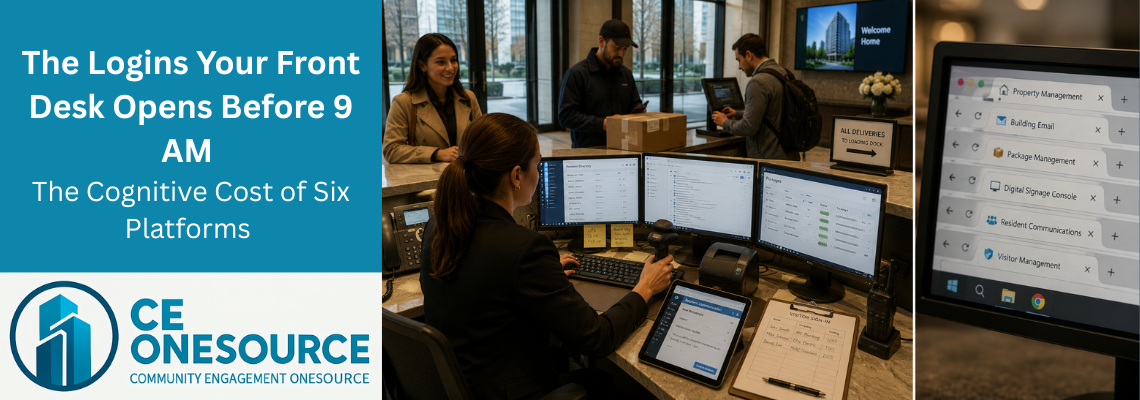
The desktop computer at the desk has six platforms open and signed in at all times. The primary property management system, the building’s general email account, the package management software, the digital signage console, the resident communication portal, and — in some buildings — a separate visitor logging tool. Each session has been active for weeks. Some have been active for months. The associate at the keyboard right now did not authenticate any of them. Neither did the associate before them, or the one before that.
The platforms cannot tell which actual human took which action. They only know that “the front desk” did it.
This is the slice of the stack residents see every day without ever knowing it exists.
🔵 What Sits on the Desktop
The desktop at a luxury high-rise front desk has the same set of platforms running across the industry, with minor variation by building age and procurement history.
The primary property management platform holds the resident roster, unit records, and contact directory. The building’s email account holds vendor correspondence, board messages, and resident communications that came in outside the resident portal. The package management software holds incoming deliveries — typically scanned and barcoded, sometimes photographed in the more modern systems. The digital signage console holds the content scheduled to the building’s screens. The resident communication portal holds the broadcast history. And in buildings that still maintain one, the visitor management tool holds appointments and check-ins.
Each was approved over the years for a reason that made sense at the time. None of them know about each other. None of them know that the desk treats them as parts of a single workflow.
🔵 The Accountability That Disappears
The first structural cost of the multi-platform setup is not workflow friction. It is accountability.
When something goes wrong — a package logged to the wrong unit, a resident note edited that should not have been, an access list updated incorrectly — the building cannot tell who did it. The audit trail in each platform shows that “the front desk” performed the action. It does not show which of the four people who rotate through the front desk that week was actually at the keyboard at 2:47 PM on Tuesday.
In every other operational function of the building, accountability is structural. The accounting platform tracks who entered each transaction. The maintenance team’s work orders are signed by the technician who closed them. The board’s votes are recorded individually. The front desk is the only operational point where six independent platforms record actions against a single anonymous shared identity — and where the building therefore cannot demonstrate, after the fact, who actually took the action that caused the problem.
This is not the staff’s fault. It is the predictable consequence of asking six independent platforms to coexist on one workstation under one continuous open session.
🔵 The Visitor That Is Not a Visit
Some buildings have invested in a dedicated visitor management platform. Most luxury condominiums have not. Across the buildings we work with most closely, the majority do not use one, and several have explicitly declined to add one when shown.
The reality of visitor handling at a luxury front desk is simpler than the software vendors describe. A guest arrives. The associate asks who they are visiting. The associate picks up the phone and calls the unit. The resident confirms the guest is expected. A vendor badge is issued or access is granted. Ninety seconds. No platform consulted. No pre-registration checked. The system is the phone call.
The actual operational pain at the desk is not the lack of a visitor management system. It is the pre-arrival authorization gap — the moment a contractor arrives Tuesday morning for an appointment the resident scheduled by text on Sunday. The contractor is at the desk. The resident is at work. The associate calls the unit and gets no answer. The contractor waits. The contractor leaves. The resident calls down two hours later asking why nobody was available to grant access.
This is the workflow CE OneSource Operations solves. EntryPass — a feature live in the platform for more than a year, and unmatched elsewhere in the residential operations industry — gives residents a structured way to pre-authorize visitors and contractors directly into the desk’s working view. The associate sees the resident’s authorization before the contractor arrives. The vendor’s entry is granted on the resident’s instructions, not the resident’s availability at the moment of arrival. The text-message workaround disappears. The delay disappears. The frustrated resident phone call disappears.
🔵 What Package Software Actually Does
Package handling at a residential building is more standardized than the rest of the stack. A package arrives. The carrier hands it to the front desk or drops it in the loading area. The package is logged into whatever system the building uses — scanned by barcode in most cases, scanned and photographed in the more modern systems, with the most advanced platforms beginning to apply image-recognition to capture the shipping label automatically. The system pushes a notification to the resident, who learns the package arrived without ever speaking to the desk.
If a resident walks up later asking whether a package arrived, the answer is straightforward in almost every case. The package either generated a notification or it did not. If the resident received nothing, nothing was logged for the unit. The conversation is brief.
The multi-platform pain at the desk does not show up in routine package questions. It shows up at the edges. A package logged against an incorrect unit number — discovered three days later when the actual recipient asks where their delivery is. A delivery exception where the carrier returned the package and notified the resident but not the building. A return logged in the parcel system that the building’s email has a different status on because the carrier sent a manual confirmation. These are the cases the desk reconciles across systems — the cases where the platforms not knowing about each other becomes the building’s problem to resolve.
🔵 Signage in the Elevator Core
Most buildings have more digital signage than the planning documents suggest. The lobby screen is the visible one. The elevator-core screens at every elevator bank are the other ones. The screens in the amenity entrances, the fitness center, the package room, the parking entry. Across the buildings we work with, ten to twelve screens distributed across the property is more typical than one or two.
All of them are typically driven by one signage platform, which is the platform that sits on the front-desk desktop. The content that runs on the screens, though, is rarely composed by the front-desk associate. Administrative staff develop the content, schedule it, and confirm it published. The front desk’s interaction with the signage platform is monitoring — watching what is displayed and intervening when something needs to come down quickly. When the pool reopens mid-day and the closure notice needs to disappear. When the elevator service notice needs to update because the technician’s ETA changed. The front desk is the only staff member usually available to make those edits, and the associate has to context-switch into a tool they touch infrequently to find the right scheduled item and push the update.
🔵 The Cognitive Cost of Six Platforms
There is a body of research on context-switching that quantifies what every operations manager has observed but rarely measured. Knowledge workers switching between unrelated applications lose somewhere between fifteen and forty percent of their productive capacity to the switch itself — re-orienting, locating the right view, recovering the mental model of the system they just left.
The research was not conducted on front desks. But the work pattern at a luxury residential front desk — frequent interruptions, multiple parallel systems, high-touch service obligations, no opportunity to batch tasks — is the work pattern the research describes.
There is a second cost that compounds the first. New staff at the front desk do not learn one system. They learn six, with varying levels of training material, varying support quality, and varying interface conventions. The most experienced associates — the ones who have been at the building three or four years — become the only ones who can navigate the full stack fluently. They become operationally indispensable in a way that is not visible on any org chart and not reflected in any compensation review.
When the most experienced associate leaves, the building’s operational continuity at the front desk takes a step backward. The new hire learns each system one at a time, the questions to the desk get slower, and residents notice the difference without being able to name what changed.
This is not a training failure. It is a structural consequence of asking one staff role to integrate six platforms with their attention.
🔵 The Attack Surface You Multiplied
The other structural cost is the building’s exposure.
Each of the six platforms is a separate authentication system, a separate session, a separate set of credentials, and a separate hackable target. The building’s exposure is not the sum of those targets — it is the weakest of them. A successful phishing attack against any one platform produces access to the resident data that platform holds: contact information, payment records, internal notes, visitor logs, communication history. From there, an attacker has the raw material to harass residents directly, to attempt social-engineering attacks against the other platforms, or simply to publish what they took. The building’s primary platform can be best-in-class on security and the resident records can still be compromised through whichever bolt-on vendor has the thinnest posture.
A building running one platform has one attack surface. A building running six has six. The cost of the additional five is invisible until something happens. After something happens, it is the only cost anyone wants to discuss.
🔵 One Search, One Click, One Record
This is what the front desk looks like with one platform.
The associate searches for the resident — first letters of a name, a phone number, an email — and the resident appears. One click. The full contact record renders on a single screen. Salutation, full name, contact details, phone numbers, date of birth, contact type, company affiliation, internal notes, alerts, emergency contact, and notification preferences. The resident’s units, parking stalls, lockers, and wine storage assignments surface at the top of the screen. The building’s directory of additional information — bike rack decal and number, key fob, ADA designation, additional authorized property managers, trade authorizations, color and styling preferences — is on the same screen, not behind another login.
Below the contact block, the working surfaces are organized into tabs the associate moves through without leaving the resident’s record. Relationships, addresses, pets, vehicles, parking stalls, preferences, reservations, custom assets. The associate can see every reservation the resident has ever made, every preference noted across years of service, every pet declared, every vehicle on record. Approximately fifty pieces of operational information about the resident, all accessible from one screen, all within one click.
Below the tabs, the resident’s full change history. Every modification to the record, attributed to the actual administrator who made it, timestamped, captured permanently. When something needs to be audited — who edited the resident’s contact information, who changed a unit assignment, who updated a lease note — the answer is on the same screen as the resident, with names attached and times recorded.
The accountability gap closes. The cross-system query disappears. The fifty-piece resident view replaces the six-platform investigation. The audit trail is built into the record, not reconstructed after the fact.
🔵 The Same Thesis, Lived at the Counter
Every CE OneSource customer gets the same thesis: a building that remembers.
The thesis is usually described at the building level — historical maintenance, vendor history, unit-level service records persisting across staff turnover. All of that is real and all of that matters. But the thesis is lived at the counter every day, in a way that is rarely discussed.
When the resident walks up to the desk, the platform should remember them. Every package, every reservation, every vehicle on record, every preference logged across years of service, every interaction with every associate the building has ever employed. Not in six different vaults the associate has to consult in sequence. On one record. With names attached to every action that touched it.
CE OneSource Operations consolidates the categories the front desk actually uses — visitor and vendor coordination including EntryPass, package handling, MarqueeCast digital signage, resident communications, the resident roster, asset assignments — onto one continuous record. The building remembers at the counter because the platform was designed to.
🔵 Your Front Desk's Number
The figures in this article are industry averages. They are reasonably reliable as a directional guide for a typical mid-tier luxury high-rise, but the actual front-desk slice of the stack at any specific building depends on which vendors the building accumulated, in what order, and at what price points.
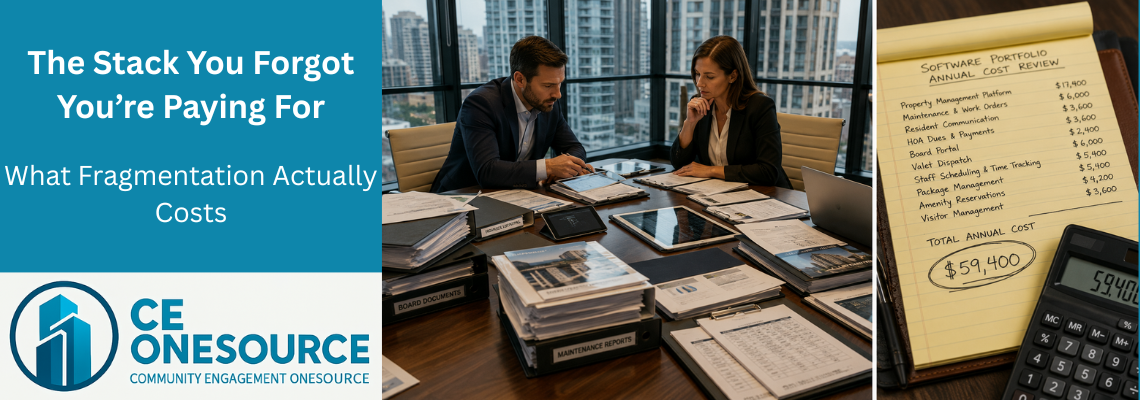
Across the categories we walked — visitor handling, package management, digital signage, and resident communications — most mid-tier luxury buildings spend somewhere between $700 and $1,500 per month. On a 400-unit building that is roughly $9,000 to $18,000 per year, lived at the highest-touch operational point in the building.
The CE OneSource Stack Audit is the short structured questionnaire that walks the ten ancillary categories named in last week’s article — including the four front-desk categories specifically — and returns your building’s number. Your monthly stack cost, your annual figure, your rank against comparable buildings, and your projected savings on an Essentials, Operations, or Lifecycle subscription for your unit count.
The result is yours. The aggregate data informs how we describe the market. Individual responses are not shared with other prospects, the public site, or competitors.
🔵 The First Person the Building Greets
The front desk is the first person the building greets. Every resident, every guest, every contractor, every delivery passes through it. The associate at the counter is the building’s voice and its memory in the same moment.
When that voice is consistent and the memory is fragmented, residents do not see the gap. The board does not see the gap. The cost lives entirely in the staff that no one is auditing — and in the building that no one can audit.
The platform that consolidates the front desk is the platform the building begins to remember through, at the counter, where it matters most, with the audit trail residents and boards deserve.
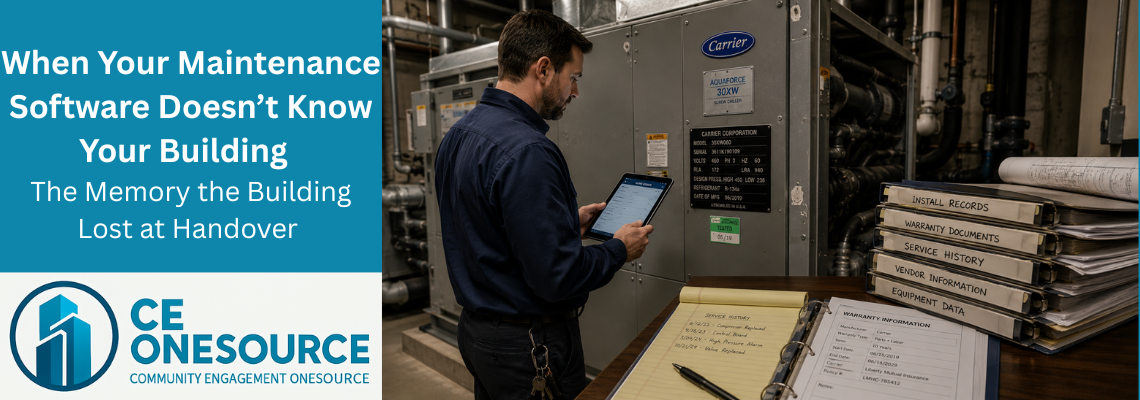
Next week: what the building forgets when its maintenance software does not know what was built.
🔵 Concept Definitions
The Accountability Gap. The structural problem created when multiple software platforms run on a single shared workstation under continuously active sessions. Each platform’s audit trail attributes actions to a generic role (e.g., “front desk”) rather than to the actual administrator who performed the action. The gap is invisible until something goes wrong — a sensitive record edited, a package logged to the wrong unit, a resident’s contact information changed — at which point the building cannot demonstrate, after the fact, who actually took the action.
EntryPass (formerly Unit Entry Authorization). A workflow feature in CE OneSource Operations, live in the platform for more than a year and unmatched elsewhere in the residential operations industry. Allows residents to pre-authorize specific visitors and contractors directly into the front desk’s working view, with structured fields for visitor identity, expected arrival window, and access scope. The front-desk associate sees the resident’s authorization before the contractor arrives. The text-message workaround that most buildings rely on for vendor pre-arrangements becomes the structured pre-authorization record the desk can act on.
Vendor Pre-Authorization Gap. The widespread industry workflow problem where residents arrange contractor and vendor visits through informal channels (text messages, emails, verbal notes to prior shifts), but the front desk has no structured record of those arrangements in any of the platforms on the desktop. The contractor arrives. The resident is unreachable. The associate has to guess, refuse, or call the resident at work. The gap is closed by EntryPass.
Attack Surface (residential operations context). The total set of authentication endpoints, identity systems, and data stores that an attacker could compromise to reach a residential building’s data. Every separate software platform adds an independent attack surface. A building running six ancillary platforms has six attack surfaces — and is exposed to a compromise at the weakest of the six, regardless of how secure the primary platform is. Consolidation collapses the building’s exposure to the one platform the building actually administers.
Context-Switching Cost. The productivity loss associated with knowledge workers shifting attention between unrelated applications. Research estimates the cost at fifteen to forty percent of productive capacity, distributed across the friction of re-orienting, locating the right view, and recovering the mental model of the system the user just left. At a luxury residential front desk — where six platforms run in parallel under constant interruption — this cost compounds and is paid in slower resident service, longer hand-offs between shifts, and higher dependence on the most experienced associates.
🔵 Dr. Robert Bess
Dr. Robert Bess is the founder and CEO of CE OneSource and Global Building Technologies, with more than 35 years of experience across construction, closeout, warranty, and building operations. As the architect behind CE OneSource, his work focuses on eliminating operational fragmentation and establishing structured, lifecycle-based systems that carry buildings from construction through long-term operations without loss of continuity. Dr. Bess has led operational readiness efforts across large-scale hospitality developments, integrated resorts, and luxury high-rise residential communities, and writes on building lifecycle intelligence, operational continuity, and the systems that allow buildings to remember — and learn.