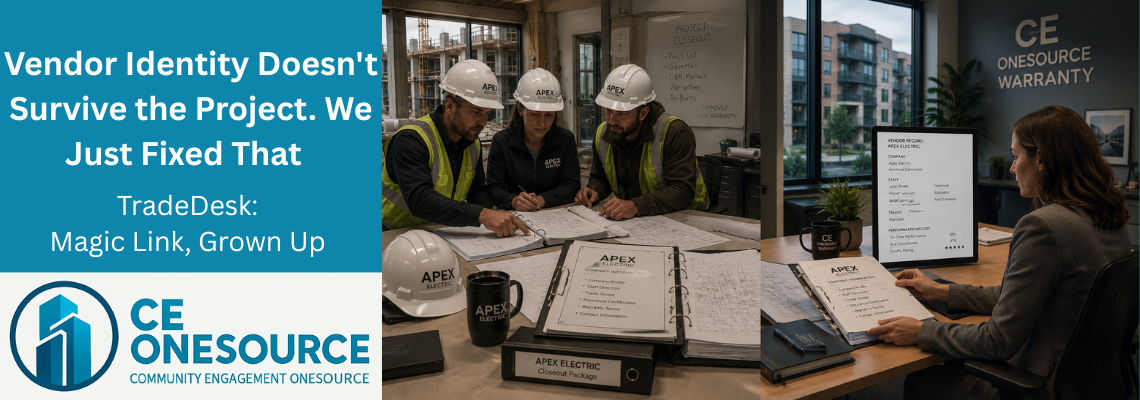
When Vendor Identity Dissolves at Every Handoff
Last week’s article ended with a promise: the chiller plant would show up again today. Here’s why. The vendor who installed that chiller is the same vendor who’s going to service it — this year under warranty, next year under a service contract, and every year after that as long as the building stands. The chiller has a persistent identity in Building Memory. The question this article answers is whether the vendor does too.
In most warranty platforms, it doesn’t. Vendor identity dissolves at every project handoff. This is the part of the construction-to-warranty problem nobody talks about, because it’s invisible until you go looking for it.
🔵 "John From Apex Electric" Is Three Different Records
Let me use a real example, anonymized. Call the sub Apex Electric. On the build we brought live, Apex had three field contacts — the owner, the estimator, and the field foreman — and they handled two trades: electrical and fire alarm.
In a legacy warranty platform, here’s how Apex Electric exists: as a contact. A person. “John, Apex Electric.” The company name is a text field typed next to John’s name. There’s no Apex Electric entity. There’s just John, with a company name attached as a string.
When the second contact at Apex — the estimator — needs to be in the system, he becomes a separate record. Same company, typed again, as a different string. The third contact, the field foreman, becomes a third record. Three people, one company, three places where “Apex Electric” is typed as free text — three places where a typo, an abbreviation, or an address change creates data drift.
Now the warranty period ends and the next project begins. Apex Electric wins the electrical scope again. In the legacy platform, the warranty manager re-enters all three contacts from scratch. There’s no Apex Electric to find. There’s no history to attach. The vendor’s response times from the last project, the SLA performance, the recurring quality issues — all of it is stranded in the previous project’s records, unsearchable, because the vendor was never an entity in the first place.
That’s vendor identity dissolving at the project handoff. It happens on every project, in every legacy platform, and it’s the reason no warranty manager can answer the question “how does this vendor actually perform across our portfolio?”
🔵 The Multi-Trade Problem
It gets worse for companies that do more than one trade.
Apex Electric does electrical and fire alarm. In a contact-centric platform, a company that does two trades gets entered twice — once under each trade — because the trade is treated as a property of the contact, not a relationship between a company and a service.
So Apex Electric (Electrical) and Apex Electric (Fire Alarm) become two separate records. Update the company’s insurance certificate, and you update it in two places. Change the phone number, two places. Miss one, and the data drifts. The warranty manager now has two versions of the same company with slightly different information, and no way to know which is current.
A painting-and-drywall sub? Two records. A company that does plumbing, HVAC, and mechanical? Three. Every multi-trade vendor multiplies into as many records as it has trades, and every one of those records is a maintenance burden.
🔵 The Different-Person-Per-Trade Problem
Here’s the one that breaks legacy platforms completely.
At Apex Electric, the person who handles electrical warranty calls isn’t necessarily the person who handles fire alarm calls. The estimator owns the electrical relationship; the field foreman owns fire alarm. Different person, different trade, same company.
Legacy platforms use an “assign to a person” model. You assign the claim to one human. But the right person depends on the trade, and the platform has no concept of “route the electrical claim to the electrical contact and the fire alarm claim to the fire alarm contact at the same company.” So the warranty manager either assigns everything to one person (who forwards half of it manually) or maintains a mental map of who-handles-what that lives nowhere in the system.
🔵 What We Built: The Party Refactor
We rebuilt the entire vendor data model around three first-class entities.
Company. The contractor or vendor organization. One record per real-world business. Apex Electric is one Company, period — with its own address, phone, insurance certificate, and status. Update it once, it’s updated everywhere.
Staff. The individual people at the Company. The owner, the estimator, the field foreman — each a Staff record attached to the one Apex Electric Company. Add a person, remove a person, mark someone as no longer employed — the company record stays intact.
Trade. The service taxonomy, with a parent-child hierarchy. “MEP” is a parent trade; “Electrical” and “Fire Alarm” are children. A Company connects to as many Trades as it actually performs, through a relationship — not by being duplicated.
The relationship between a Company and a Trade carries its own attributes: coverage area, SLA hours, priority rank, trade-specific insurance. And the relationship between a Staff member and a Company-Trade carries its own flags: is this person active for this trade, do they receive notifications for it.
So Apex Electric becomes exactly what it is in the real world: one company, three people, two trades, with the right people attached to the right trades. The estimator is active on electrical. The foreman is active on fire alarm. When an electrical claim comes in, it routes to the electrical contact. When a fire alarm claim comes in, it routes to the fire alarm contact. Same company, correct person, every time.
🔵 TradeDesk: Magic Link, Grown Up
You’ve heard us talk about Magic Link for the better part of a year. The secure, time-limited, login-free link that lets a subcontractor view a claim, do the work, upload proof, and close the ticket — without an account, without an app, without a password.
Magic Link was always the mechanic. TradeDesk is the platform it grew into.
TradeDesk is the whole vendor side of CE OneSource Warranty: the Company → Staff → Trade data model, the per-trade routing, the Magic Link access, and the self-service portal that lets vendors manage their own information. Magic Link is how a vendor touches a single claim. TradeDesk is how the vendor exists in the system across every claim, every trade, and every project, for the life of the relationship.
The name change matters because the thing itself changed. We’re not just sending vendors a link anymore. We’re giving them a desk in the building’s system — a place where their company, their people, their trades, and their open work all live.
🔵 How Routing Actually Works
When a warranty claim needs a vendor, here’s the flow.
The warranty manager picks a trade — say, Electrical. TradeDesk shows every Company that performs Electrical, sorted by priority rank. The warranty manager picks Apex Electric. TradeDesk finds every Apex Electric Staff member who’s active on Electrical and set to receive notifications — and fires a Magic Link to each of them.
The Magic Link is tokenized to the claim, not to the person. If three people at Apex Electric get the link, all three land on the same claim view. The first one to pick it up runs with it. No duplicate tickets. No “I thought you had this.” The work has one home, and any authorized person can reach it.
This is the part legacy platforms have never solved: routing to the right people at the right company for the right trade, without forcing the warranty manager to remember who’s who.
🔵 The Exec Self-Onboarding Portal
Here’s where TradeDesk stops being a routing tool and starts being a platform.
When a new Company is created — whether the warranty manager adds it manually or it comes across from FinishLine at handoff — TradeDesk automatically fires a Magic Link to the company’s primary executive. That exec lands on a portal scoped to their own company, with four tabs:
Edit Company — verify and update the address, phone, logo, insurance certificate and expiration date.
Staff — add, edit, or remove their own colleagues. The exec knows their team better than the warranty manager does. Let them manage it.
Trades — configure which trades the company performs, with the right contacts, SLA windows, coverage areas, and insurance for each.
Open Items — a live dashboard of every active claim assigned to this company across the entire property, with click-through to each one.
That last tab is the seed of something bigger. The exec can bookmark the URL and come back to it — a persistent, login-free window into all their work on the building, which is the foundation of the full subcontractor portal coming next.
The edge cases are handled too. On the build we brought live, one sub’s data came across with four names but nine email addresses — a real-world data hygiene mess. The rule: import the company with no staff attached, and flag it for the exec to populate through their own onboarding Magic Link. The vendor cleans up their own data, because they’re the ones who know it. The warranty manager doesn’t spend an afternoon untangling someone else’s email list.
🔵 Why Vendors Actually Use It
Here’s the thing about subcontractor adoption: it usually doesn’t happen.
Every warranty platform on the market has a vendor portal. Hippo CMMS has one. BuilderMT has one. ConstructionOnline has one. Buildertrend and CoConstruct have them. Procore has one. And every one of them requires the vendor to create an account, set a password, and often download an app.
Subcontractors don’t do it. They’re running three jobs across two counties; they’re not creating an account in your warranty platform to look at one claim. So the platform’s vendor portal sits empty, and the warranty manager ends up calling, texting, and emailing the vendor anyway — which is exactly the chaos the platform was supposed to eliminate.
TradeDesk flips it. No account. No password. No app. The vendor clicks a link in a text or email, sees exactly what they need, does the work, uploads the proof, closes the ticket. The exec portal works the same way — a link, not a login. Adoption isn’t a hurdle because there’s nothing to adopt.
That’s the single biggest operational difference between TradeDesk and every other warranty system on the market. Not the data model, impressive as it is. The fact that the vendors actually use it.
🔵 What This Buys Warranty Managers
Persistent vendor identity changes what a warranty manager can know.
Vendor performance becomes measurable across projects. Apex Electric’s response time, completion rate, and return-for-rework rate follow the company from building to building, because Apex Electric is one entity with a continuous history. The warranty manager can finally answer “who’s actually good?” with data instead of gut feeling.
Vendor accountability becomes specific. Per-trade, per-company SLA windows mean the warranty manager can hold the electrical relationship to one standard and the fire alarm relationship to another — within the same company.
Onboarding stops being the warranty manager’s job. The exec portal pushes data maintenance back to the people who own the data. The warranty manager curates; the vendor maintains.
And it compounds. Every project that comes across from FinishLine adds to the same vendor records. The vendor identity that used to dissolve at every handoff now accumulates. That’s Building Memory applied to the people who build and service the building — not just the spaces.
🔵 What's Next in This Campaign
Next Tuesday — Article 4, the finale — we bring it together. ClaimTrack as the warranty claim system of record that sits on top of everything built across this campaign: the four-category Spaces model, the per-space drawings, the TradeDesk vendor identity. We’ll cover the Branded Gatekeeper triage layer, and then the honest forward-look: the equipment layer, BuildingAI predictive warranty, and the bridge from CE OneSource Warranty into CE OneSource Operations. Where we are, where we’re not yet, and where this is all going.
🔵 What This Means for Your Next Build
One company, one record. The right people on the right trades. Routing that finds them automatically. A portal vendors actually use because there’s nothing to log into. Vendor identity that survives the project, the handoff, and the years that follow.
If you’ve spent any time re-entering the same subcontractors project after project, watching their performance history evaporate each time — this is what it looks like when the vendor finally persists.
If you want to see it on a real build, we’ll show you. Free trial. No data hostage-taking. No surprise billing.
Next Tuesday, June 30: the finale. ClaimTrack, the Branded Gatekeeper, and the road ahead — equipment, BuildingAI, and the bridge to Operations.
🔵 Concept Definitions
Party Refactor (Company / Staff / Trade). CE OneSource Warranty’s rebuild of the vendor data model around three first-class entities: Company (the vendor organization, one record per business), Staff (individual people at the company), and Trade (services performed, in a parent-child taxonomy). Replaces the contact-centric model where a vendor existed only as a person with a company name typed as free text.
CompanyTrade Relationship. The many-to-many link between a Company and a Trade in TradeDesk. Carries per-trade attributes — coverage area, SLA hours, priority rank, and trade-specific insurance — so a multi-trade vendor is represented once as a company with multiple trade relationships rather than duplicated once per trade.
Per-Trade Magic Link Routing. TradeDesk’s claim routing logic. The warranty manager selects a trade and a company; the system fires a Magic Link to every staff member active on that trade and set to receive notifications. The link is tokenized to the claim, not the person, so multiple recipients land on the same claim view and the first to respond owns it.
Exec Self-Onboarding Portal. A login-free portal automatically sent to a vendor company’s primary executive when the company is created in TradeDesk. Four tabs — Edit Company, Staff, Trades, Open Items — let the vendor maintain their own data and view all active claims assigned to them across the property. The seed of the full subcontractor portal.
Login-Free Vendor Access. TradeDesk’s design principle that subcontractors interact with the platform via secure, time-limited links rather than accounts. No account creation, no password, no app download. Removes the onboarding barrier that leaves competitor vendor portals empty.
🔵 Dr. Robert Bess
Dr. Robert Bess is the founder and CEO of CE OneSource and Global Building Technologies, with more than 35 years of experience across construction, closeout, warranty, and building operations. As the architect behind CE OneSource, his work focuses on eliminating operational fragmentation and establishing structured, lifecycle-based systems that carry buildings from construction through long-term operations without loss of continuity. Dr. Bess has led operational readiness efforts across large-scale hospitality developments, integrated resorts, and luxury high-rise residential communities, and writes on building lifecycle intelligence, operational continuity, and the systems that allow buildings to remember — and learn.